Planning
How to start a podcast: a step-by-step guide for beginners
By the team at The Cast Studio · Updated · 6 min read
In short
To start a podcast, decide who it is for and what each episode delivers, choose a format you can repeat, plan five episodes, and record them with good microphones at home or in a studio. Edit, create artwork, upload to a podcast host that sends the show to apps like Apple Podcasts and Spotify, and publish on a steady schedule.
Starting a podcast takes fewer decisions than it seems, but the order matters: settle the audience and the format first, and the equipment choices get much easier. This guide walks through ten steps, from the first idea to a steady schedule, with a short checklist for each.
How does starting a podcast work, step by step?
Starting a podcast takes ten steps, from choosing an audience to launching on a fixed schedule. The table shows what you decide at each one, and each step is explained below.
| Step | What you decide | Time to plan for |
|---|---|---|
| 1. Audience | Who the show is for | An afternoon |
| 2. Format | Interview, solo, co-host or panel, and length | An afternoon |
| 3. Name and concept | Title, one-line description | A day or two |
| 4. First episodes | Five planned episodes | A week |
| 5. Equipment or studio | Home setup or studio booking | A few days |
| 6. Recording | Batch several episodes | One or two sessions |
| 7. Editing | Do it yourself, hire, or book with editing | Ongoing |
| 8. Artwork and thumbnails | Cover art, episode thumbnails | A few days |
| 9. Hosting and distribution | Podcast host, apps, YouTube | One-time setup |
| 10. Launch | Release plan, promotion, schedule | Ongoing |
Step 1: Decide who the podcast is for
Describe your listener in one sentence before anything else. "People interested in business" is too broad to grow; "first-time founders in South Florida who are hiring their first employee" tells you which topics, guests and words to use.
- Write the one-line description: a show for [audience] about [problem].
- List ten questions this audience asks you or your field.
- Check that you can talk about the topic for at least 20 episodes.
Step 2: Choose a format and episode length
Pick the format you can repeat comfortably: interviews if you have access to interesting guests, solo episodes if you have strong ideas of your own, a co-hosted show if you have a partner with a good dynamic, or a panel for discussions.
- Choose one main format.
- Pick a length that fits the content, not a number you heard somewhere.
- Decide audio only or video. Our comparison of video and audio podcasts helps you choose.
Step 3: Pick a name and a concept
A good name tells people what the show is about or who it is for. Clever names are fine if the description does the explaining.
- Make the name easy to say, spell and search.
- Check that no well-known show uses it already.
- Write a two-sentence description that names the audience and the promise.
Step 4: Plan your first five episodes
Plan five episodes before you record one. It proves the idea has depth and gives you a backlog for launch.
- Write a title and a one-line promise for each.
- Outline each episode with rough timings; our podcast script template has outlines you can copy.
- Invite guests early; they need time to schedule.
- If you are short on topics, see our list of podcast ideas.
Step 5: Choose equipment or a studio
Audio quality matters more than anything else, so start there. Every person needs their own microphone, and the room needs to be quiet and not echoey. For video, add cameras and lights.
You can buy a home setup or rent a studio by the hour. A studio makes sense when you want professional video without owning or running the equipment. At The Cast Studio in Fort Lauderdale:
- Studio Essentials, $199 per hour: one cinematic 4K angle, a professional audio setup, standard studio lighting and an on-site tech assist.
- Studio Recording, $250 per hour: a full crew, three 4K angles, raw files within 24 hours.
- Studio Recording + Enhanced Edit, $455 per hour: the same session plus a finished multicam edit.
Our guide to podcast setup and equipment explains what each piece of gear does and how home and studio setups compare.
Step 6: Record your episodes
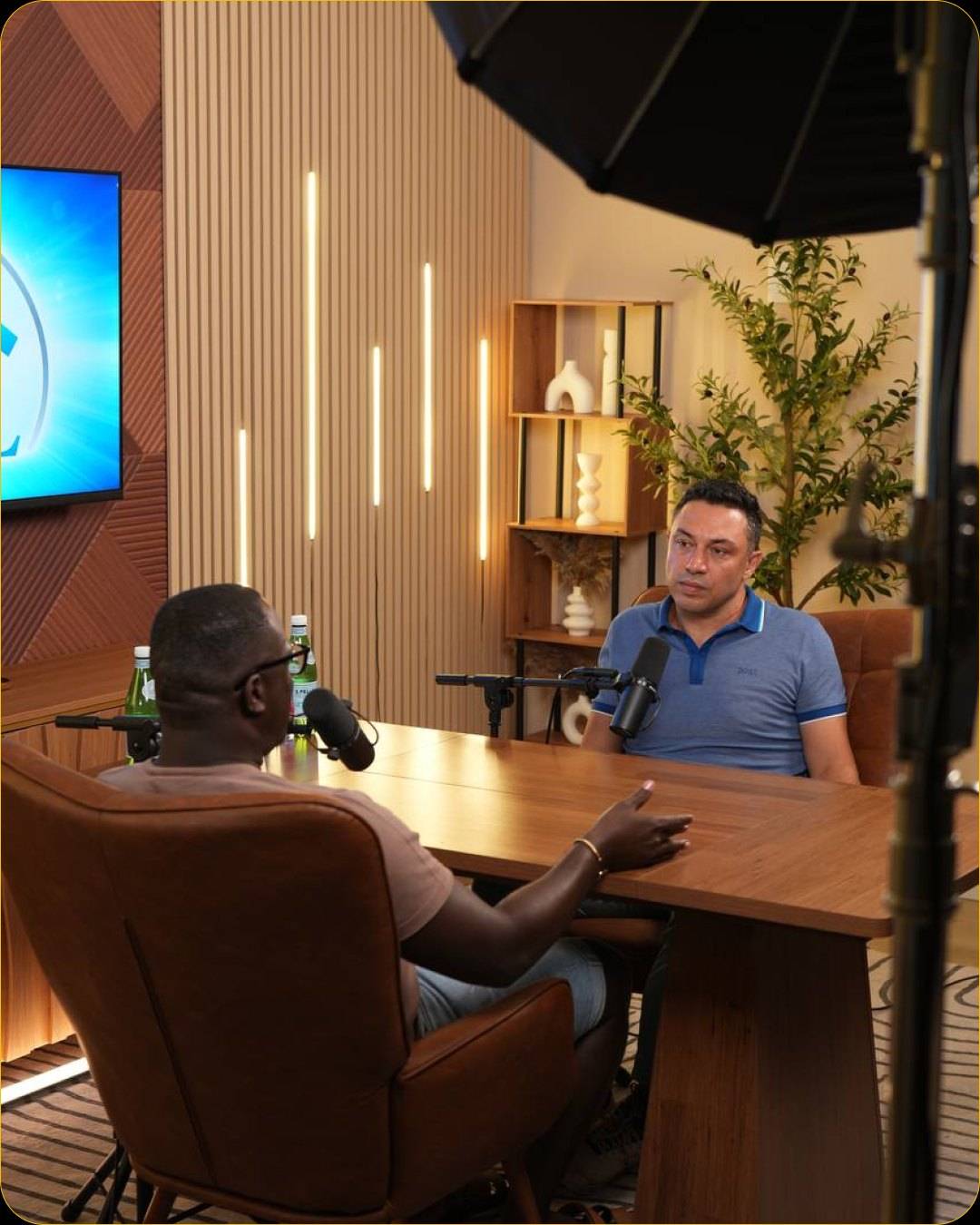
Record several episodes in one session if you can. You are warmed up after the first, and setup happens only once.
- Run a short test recording and listen back before the real take.
- Keep a steady distance from the microphone and silence every phone.
- Leave a few seconds of silence before the intro and after the outro.
- Note the time of strong moments for clips.
The first podcast recording checklist covers the week before, the day itself and what to do after.
Step 7: Edit
Editing turns a recording into an episode: removing false starts and long pauses, balancing the audio, adding an intro and outro and, for video, cutting between camera angles. You can learn to edit, hire an editor, or book recording and editing together.
- Decide who edits before you record, so the files go to the right place.
- Agree on a turnaround time with your editor.
- At The Cast Studio, the Studio Recording + Enhanced Edit package adds a 4K multicam edit with mastered audio, your logo, lower thirds and name titles. The podcast editing page explains what is included.
Step 8: Create artwork and thumbnails
Your cover art appears small in podcast apps, so it has to read at the size of a thumbnail. For video episodes, each episode also needs its own thumbnail.
- Use a square cover with the show name in large, simple type.
- Check your podcast host's and Apple Podcasts' current artwork requirements before you export.
- For video, plan a consistent thumbnail style: faces, a few words, the same layout every time. The Studio Recording packages at The Cast Studio include thumbnail and guest photos.
Step 9: Choose a podcast host and distribute
A podcast hosting service stores your audio files and creates the RSS feed that podcast apps read. You submit that feed once to Apple Podcasts and Spotify, and new episodes appear there automatically.
- Choose a host and upload your episodes there.
- Submit the feed to the main podcast apps.
- If you record video, publish full episodes on YouTube too; our guide on how to start a YouTube podcast covers that side.
Step 10: Launch and keep going
Launch with two or three episodes at once, so new listeners can binge, then publish on a fixed day.
- Tell your network directly: a personal message works better than one post.
- Ask each guest to share their episode, and give them a clip to post.
- Post short clips from every episode; see our guide to podcast clips.
- Review after ten episodes: which topics people watched, shared and asked about.
Want your first episodes to look and sound professional? Book a session, or see the six sets on a free studio tour.
Frequently asked questions
How do I start a podcast with no experience?
Start small and specific: one audience, one format, five planned episodes. If the equipment worries you, record in a studio where a technician or crew runs the cameras and sound, so you can focus on talking. You learn most by publishing, so release the first episodes and improve as you go.
How much does it cost to start a podcast?
It depends on how you record. At home, the main costs are microphones, headphones and, for video, a camera and lights, plus a podcast hosting plan. In a studio you pay for time instead: at The Cast Studio, $199 per hour with one 4K angle, $250 with a full crew and three 4K angles, or $455 with a finished edit.
What equipment do I need to start a podcast?
A microphone for each person, headphones and a way to record, such as an audio interface or a recorder, in a quiet room. For a video podcast, add one to three cameras and lights. Our guide to podcast setup and equipment lists what each piece does and how home and studio setups compare.
How do I get my podcast on Spotify and Apple Podcasts?
Sign up with a podcast hosting service and upload your episodes there. The host creates an RSS feed for your show; you submit that feed once to Apple Podcasts and Spotify, and every new episode then appears in those apps automatically.
How long should my first podcast episode be?
Long enough to deliver what the title promises, and no longer. Focused episodes are easier to record well when you are starting out. Once you see how people listen and watch, you can make episodes longer or shorter.
Written by the team at The Cast Studio, a podcast and video studio at 801 NE 2nd Ave, Ste 120, Fort Lauderdale, FL 33304. Facts and prices are checked on the date shown above. About the studio.