Planning
Podcast setup: the equipment list, explained
By the team at The Cast Studio · Updated · 5 min read
In short
A podcast setup needs a microphone for every voice, a way to give those microphones clean gain and record them, headphones and a quiet room; a video podcast adds cameras and lights. Here is the equipment a working studio uses, what each piece does, and what a home version looks like for audio-only, one-camera and multicam shows.
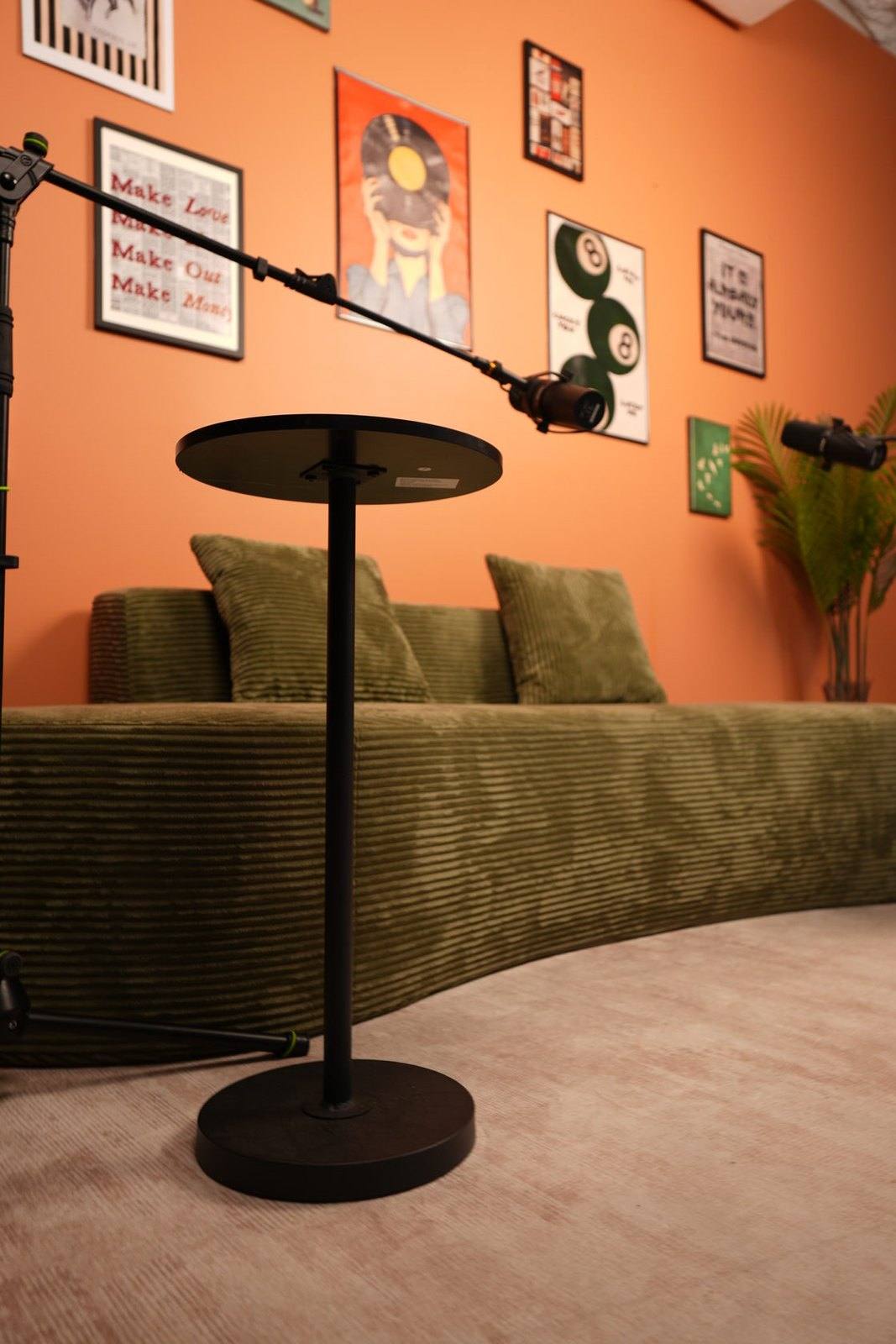
Podcast gear lists can run to dozens of items, but a working setup comes down to a few jobs: capture each voice cleanly, record it, see and hear what you are recording, and for video, capture good pictures in good light. Below is the equipment a working studio uses, what each piece does, and how to put together a home version at three levels.
What equipment does a podcast need?
A podcast needs five things: a microphone per voice, clean gain for those microphones, a recorder, headphones and a quiet room. Video adds two more: cameras and lights.
- Microphones, one per person, so every voice can be controlled separately.
- Gain and preamps, to bring each microphone to a healthy level without noise.
- A recorder: an audio interface and a computer, a portable recorder or a podcast mixer.
- Headphones, so hosts and guests hear the mix and catch problems.
- A quiet, soft room that does not add echo.
- Cameras, for video podcasts: one for solo shows, usually three for conversations.
- Lights that flatter faces and separate people from the background.
What does each piece of studio equipment do?
Each piece handles one step between a voice and a finished recording. The table is the equipment list from The Cast Studio's Terms of Service, with what each piece does. The package you book decides how many camera angles are recorded and who runs the session.
| Equipment | What it does | At The Cast Studio |
|---|---|---|
| Cameras | Record the picture from each angle | 3 Sony 4K cameras |
| Studio lights | Light faces evenly and flatteringly | 3 to 5 professional studio lights |
| Background lights | Light the set so people stand out from it | 2 background lights |
| Microphones | Capture each voice | 2 Shure microphones |
| Cloudlifters | Add clean gain to each microphone | Used with the Shure microphones |
| Podcast mixer | Mix, monitor and record the microphones | Rodecaster Pro |
| Switchboard | Switches and edits on site | Rodecaster switchboard for on-site editing (editing for an additional fee) |
| Display | Show a logo in the shot | 55-inch display for logo placement during video recordings |
There is also room for two more microphones and inputs for up to five camera angles, added for an extra fee, for panels and larger shows. Studio Essentials records one cinematic 4K angle; the Studio Recording packages record three. The video podcast studio page has the full setup.
What does a Cloudlifter do, and why do microphones need gain?
A Cloudlifter adds clean gain between the microphone and the mixer. Some microphones, especially the broadcast-style models common in podcasting, put out a quiet signal. To record them at a good level, the mixer's preamp has to be turned up high, and many preamps get noisy when turned up near their maximum.
An inline preamp such as a Cloudlifter uses the phantom power from the mixer or interface to boost the signal before it reaches the preamp. The mixer can then run at a moderate setting, and the recording keeps a low noise floor.
What does a home podcast setup look like?
A home setup can be built in three steps, depending on whether you record audio only, one camera, or several. Each level adds to the one before.
Audio-only setup
- One microphone per person, on stands or arms that keep them at mouth level.
- An audio interface or a podcast mixer with enough inputs for every microphone.
- Closed-back headphones for everyone in the room.
- A quiet room with soft surfaces.
- Recording and editing software.
One-camera video setup
- Everything in the audio-only setup.
- One camera on a tripod at eye level, recording the host or a wide shot of the table.
- A soft key light and a fill light, plus a lamp or LED strip on the background.
- A background you are happy to show every episode.
Multicam video setup
- Everything above.
- Three cameras: a wide shot and a close-up of each speaker, with matched settings.
- A key light for every face, back lights and background lights.
- A way to sync or switch the cameras, and more storage and editing time.
The guides to podcast camera setup and podcast lighting explain placement, framing and light in detail.
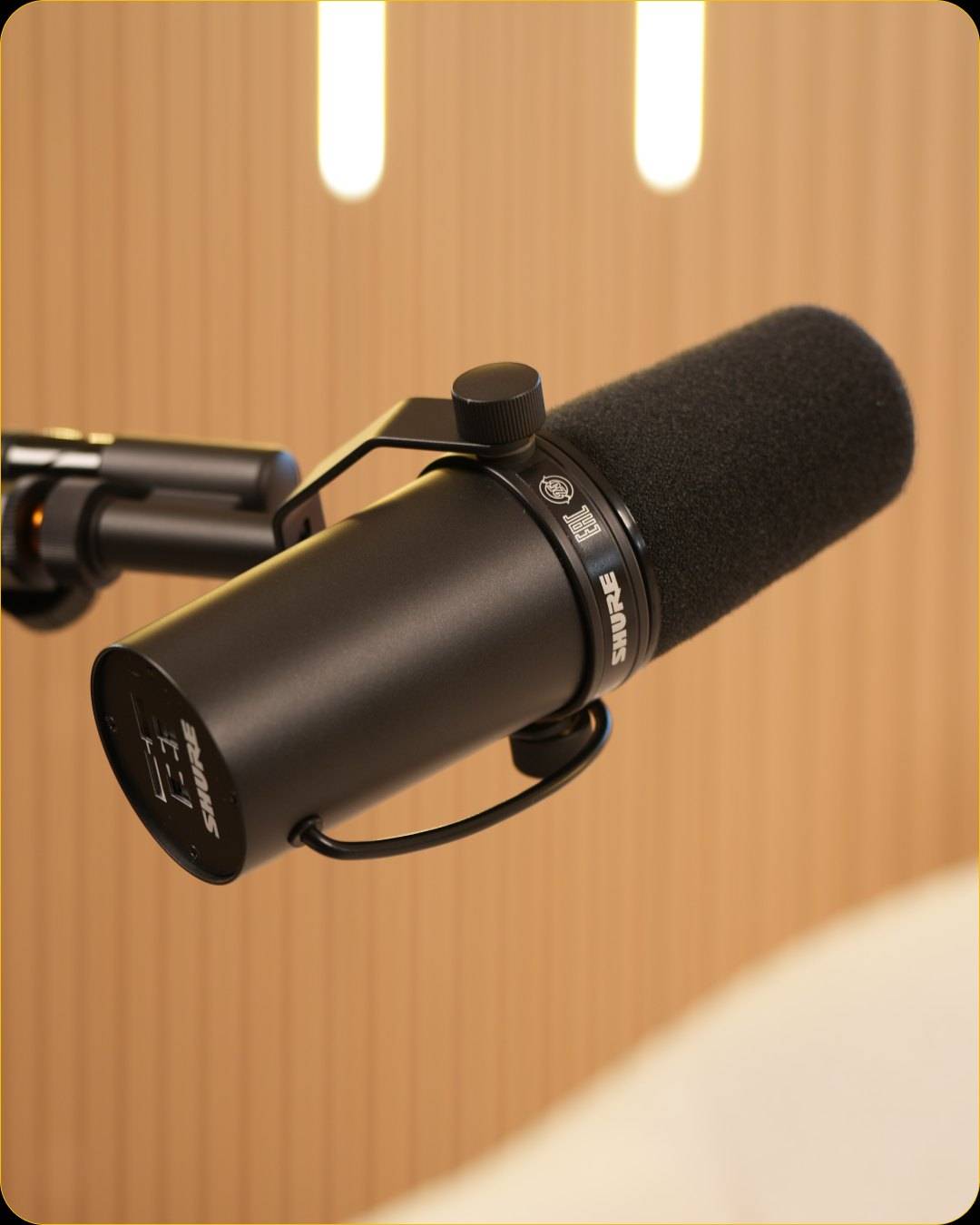
How do you make a room sound better?
A soft, quiet room matters as much as the microphone. Hard walls, bare floors and windows bounce sound back into the microphone and make voices sound thin and distant.
- Add soft surfaces: rugs, curtains, a sofa, cushions and full bookshelves absorb reflections.
- Move away from walls and corners; sit with soft furniture behind you.
- Kill background noise: close windows, switch off fans and air conditioning during takes, silence phones.
- Keep microphones close: a microphone a hand's width from the mouth picks up much more voice than room.
Should you build a home setup or rent a studio?
Build a home setup if you record often, want full control and are happy to run the equipment; rent a studio if you record occasionally, want multicam video, or would rather focus on the conversation than the gear.
| If you... | A home setup | A studio |
|---|---|---|
| Record weekly, audio only | Usually the practical choice | Useful for special episodes |
| Want three-camera video | Many items to buy, sync and maintain | Already set up and run by a crew |
| Have guests on camera | You set up and run everything while hosting | The team handles the technical side |
| Need a designed set | You build and maintain it | Six sets ready to use |
At The Cast Studio in Fort Lauderdale, studio time costs $199 per hour for one 4K angle with a tech assist, $250 with a full crew and three 4K angles, or $455 with a finished multicam edit. For the wider market, see what it costs to rent a podcast studio in Fort Lauderdale, and if you decide to rent, our guide on how to choose a podcast studio in Fort Lauderdale lists what to compare.
What setup mistakes should you avoid?
Most setup problems come from a few habits:
- Sharing one microphone between two people, so neither voice can be controlled.
- Recording in an echoey room and hoping editing will fix it.
- Skipping headphones, so nobody hears the hum or the clipping until later.
- Running the preamp near maximum with a quiet microphone instead of adding clean gain.
- Buying cameras before the audio is right. Viewers forgive a plain picture sooner than poor sound.
Skip the shopping list: book a session in a studio that supplies the gear and the people to run it, or see the studio on a free tour.
Frequently asked questions
What equipment do you need for a podcast?
A microphone for each person, headphones, and a way to record the microphones, such as an audio interface, a recorder or a podcast mixer, in a quiet room. A video podcast adds one to three cameras and lights. You also need software to edit, or someone who edits for you.
What does a Cloudlifter do?
A Cloudlifter is a small inline preamp that sits between a microphone and the mixer or interface. It uses phantom power to add clean gain, so a quiet microphone reaches a healthy recording level without turning the mixer's own preamp up into its noisy range.
Do I need a podcast mixer?
Not necessarily. One or two people can record well through a simple audio interface. A podcast mixer, such as the Rodecaster Pro the studio uses, makes several microphones, headphone mixes and recording easier to manage in one device, which helps once you have guests.
How do I make a room sound better for podcasting?
Add soft surfaces: a rug, curtains, a sofa, cushions, full bookshelves. Sit away from bare walls and corners, close the windows, and switch off fans and air conditioning during takes if you can. A dull, quiet room records better than a beautiful echoey one.
Is it cheaper to rent a podcast studio than to buy equipment?
For occasional episodes, renting usually costs less than buying cameras, lights and audio gear, and you get a designed set and people who run it. A home setup pays off when you record often and are happy to run and maintain the equipment yourself.
Written by the team at The Cast Studio, a podcast and video studio at 801 NE 2nd Ave, Ste 120, Fort Lauderdale, FL 33304. Facts and prices are checked on the date shown above. About the studio.